Pipedrive
Use Meshes to push contact-level state changes from product events into Pipedrive Persons.
Use the Pipedrive integration when a Meshes event should update a Person record in Pipedrive. In a Meshes workspace, you create the Pipedrive connection with OAuth, choose the Person action the rule should run, and map the event fields Meshes should write into the connected account.
Meshes writes contact attributes and labels. Pipedrive automations handle the downstream follow-up after the Person record changes.
Supported actions
- Sync Person creates or updates a Pipedrive Person by email with the mapped destination fields.
- Update Person Field syncs the mapped destination fields for the Person found by mapped email, then updates one supported selectable Person field.
- Add Label to Person syncs the mapped destination fields for the Person found by mapped email, then adds a selected Pipedrive Person label.
- Remove Label from Person syncs the mapped destination fields for the Person found by mapped email, then removes a selected Pipedrive Person label.
This integration currently supports Person updates only. Meshes does not write Organizations, deals, leads, activities, or notes.
Create the connection
- Open Connections in your Meshes workspace.
- Click New Connection.
- Select Pipedrive.
- Give the connection a clear name.
- Click Connect to Pipedrive and complete the OAuth flow.
After authorization, Meshes loads the available Pipedrive Person fields and Person labels from the connected account.
Plan note
Pipedrive automations are available on Pipedrive Growth plans and above. Essential-plan customers can still use Meshes to keep Person records current, but the downstream Pipedrive workflow automation that reacts to those changes is a Pipedrive plan capability rather than a Meshes feature.
Create a rule
- Open Rules and click New Rule.
- Select the event type that should trigger the Pipedrive action, such as
user.signup,subscription.created, orpayment.failed. - Select the resource type for that event.
- Choose your Pipedrive connection.
- Select the action:
- Sync Person writes the mapped Person fields.
- Update Person Field writes the mapped Person fields, then sets one supported Person field to the selected value.
- Add Label to Person or Remove Label from Person writes the mapped Person fields, then applies one Person label from the connected account.
- Map the event fields Meshes should send to Pipedrive.
- Save the rule.
Map email for every Pipedrive Person action. Meshes uses that email to find the Person and to create or update the record when needed.
Field mapping
Pipedrive Person actions use the Person field catalog from the connected account. That includes standard editable Person fields and supported custom Person fields.
- Standard contact fields such as
email,name, andphonecan be mapped from the event payload. - Custom Person fields appear in the mapping catalog by Pipedrive field key, so saved mappings stay stable even if a field label changes in Pipedrive.
- Enum and set fields show the allowed values from the connected account. Use Update Person Field when one rule should force a specific selectable field value while still syncing the rest of the mapped Person data.
- Address fields can be sent as a single text value.
Pipedrive requires a name when Meshes creates a Person. If name is not mapped, Meshes can build it from first_name and last_name values present in the event payload or fall back to the mapped email address.
Common workflow
Use Meshes to keep the Person record current in Pipedrive, then let Pipedrive workflows react to those Person updates. A common pattern is:
subscription.createdupdates a Personplanfield.payment.failedupdates a payment-status field.trial.startedadds a Trial label and writes the trial end date.
Once Meshes updates the Person, Pipedrive automations can create activities, move related deals, assign follow-up, or trigger customer communications based on those changes.
Send a test event
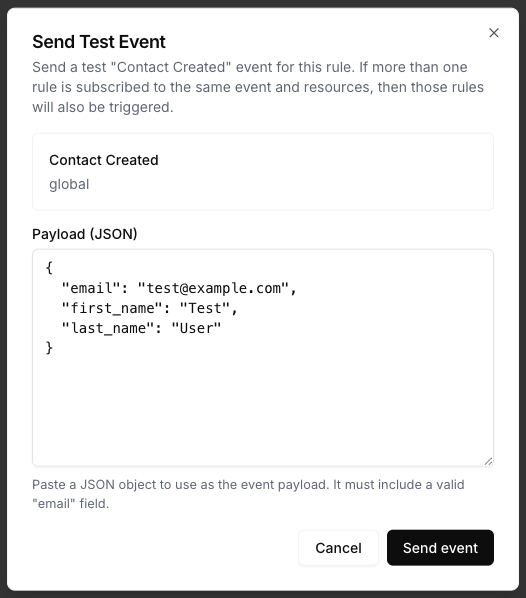
Use Send Test Event on the rule to verify the Pipedrive action and mappings.
{
  "email": "test@example.com",
  "first_name": "Test",
  "last_name": "User",
  "plan": "growth",
  "payment_status": "failed",
  "trial_ends_at": "2026-05-16"
}
Include the source fields your mapping expects for every Pipedrive action. Update Person Field, Add Label to Person, and Remove Label from Person also sync the mapped Person data before applying the selected field value or label change.
Review results
After the event runs, open Events and inspect the Pipedrive delivery details. Meshes shows whether the Person action completed, which rule ran, and any retries or failures.
Limitations
- The integration supports Persons only. Meshes does not write Organizations, deals, leads, activities, or notes.
Update Person Fieldsupports selectable Person fields from the connected account.- Address writes are sent as a single text value.