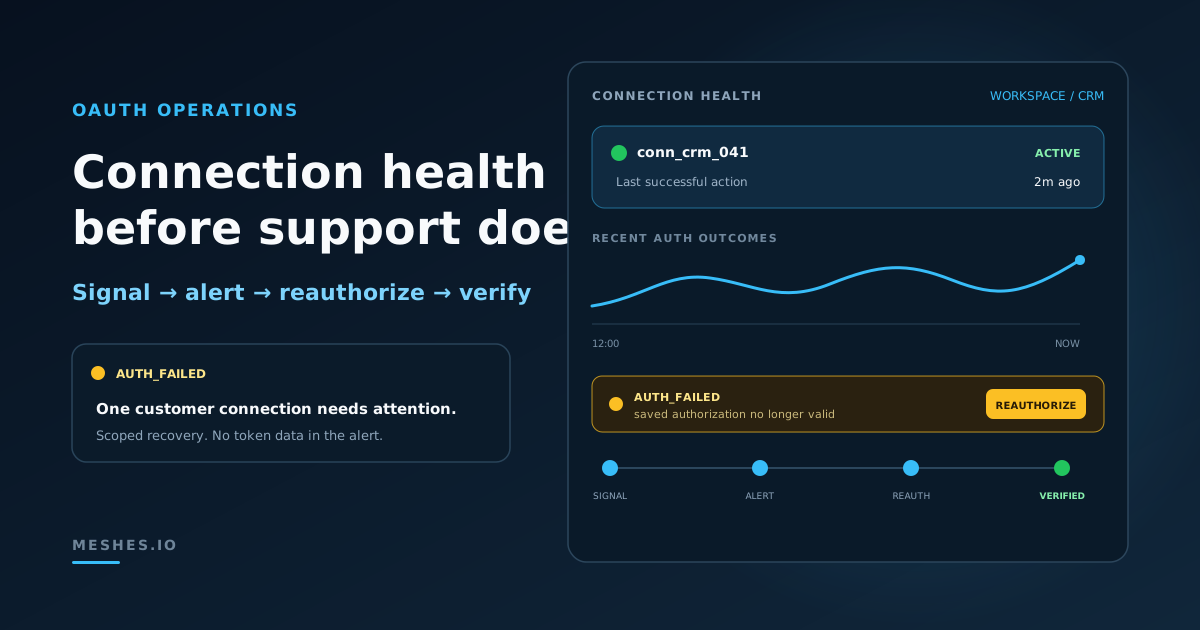
OAuth Connection Monitoring: Catch Broken SaaS Integrations Before Customers Do
OAuth failures can hide inside ordinary delivery errors until customer integrations stop working. Monitor connection health, alert on actionable signals, and give support a reauthorization runbook before customers discover the breakage.
An OAuth connection can be healthy at 9:00 and unusable at 9:01.
The customer may revoke access. An administrator may change an application policy. A refresh token may expire. A provider may rotate credentials or reject a grant that worked yesterday. None of those changes require a deployment from your team, but every one can stop a customer integration.
The first visible symptom is often downstream: a CRM contact does not update, a lifecycle message never reaches its destination, or support hears “the integration is broken.”
OAuth connection monitoring is the practice of measuring whether each customer-authorized connection can still obtain valid access and complete its expected work. It combines connection state, authentication outcomes, recent successful activity, alerts, and a tested reauthorization path. The objective is not to prove that the OAuth callback succeeded once. It is to detect when a previously working connection needs attention.
That operating problem is different from implementing OAuth correctly. OAuth token management for SaaS integrations covers token storage, refresh timing, concurrency, revocation, and reconnection patterns. The monitoring layer begins after those mechanics are in production.
The connection is the unit of health
A provider-wide success rate is useful, but it is not enough.
Imagine 2,000 customer connections to the same CRM. A revoked grant affects one customer. A provider incident may affect all 2,000. An incorrect scope may affect only connections authorized after a configuration change. A single aggregate chart can hide the first case and blur the other two together.
Monitor OAuth health at several levels:
Connection: Is this customer authorization currently usable?
Provider: Are failures increasing across otherwise unrelated connections?
Workspace or account: Which customer workflow is affected?
Action: Is authentication failing for every operation or only for one permission-sensitive action?
Time: Did the change begin after a reauthorization, provider policy change, or product release?
The connection should remain the primary unit for alerting and recovery. It is the smallest scope that identifies the affected customer and the authorization that may need repair.
Use stable identifiers in telemetry and support tools: workspace ID, connection ID, provider type, action, error class, and timestamp. Do not put access tokens, refresh tokens, authorization codes, client secrets, or full customer payloads in metrics, logs, or alerts.
OAuth failures are not one error
The OAuth 2.0 specification defines invalid_grant broadly. It can mean that an authorization code or refresh token is invalid, expired, revoked, associated with another client, or otherwise unusable. The error identifies a class of failure, not always the root cause.
Provider policy adds more variation. Google's public OAuth documentation, for example, lists revocation, long periods of inactivity, password changes for some scopes, administrative restrictions, time-limited access, and testing-mode expiration among the reasons a refresh token may stop working.
That variation makes error classification more useful than string matching.
Recoverable authentication failures
Some failures may succeed after a limited retry:
a temporary token endpoint error;
a timeout while requesting a new access token;
a short provider outage;
a rate limit on an authorization endpoint.
These failures need bounded retry behavior and provider-level visibility. They should not immediately tell every affected customer to reconnect.
Reauthorization-required failures
Other failures will not improve through repeated delivery attempts:
the customer revoked the grant;
the refresh token expired or became invalid;
the provider invalidated an older token;
the authorization no longer includes required access;
the connection belongs to a client configuration that no longer matches.
For these cases, stop blind retries, mark the connection as needing attention, and direct the authorized customer or operator into a reauthorization flow.
Permission and resource failures
A 403 or provider-specific permission error does not always mean that the OAuth grant is dead. The token may be valid while the connected user lacks permission for one object, field, workspace, or action. Likewise, a missing destination record is not an authentication failure.
Keep these categories separate:
access could not be authenticated;
access was authenticated but not authorized for the action;
authentication succeeded but the requested destination resource was invalid;
the provider was temporarily unavailable.
Good classification prevents a generic “Reconnect” message from becoming the answer to every failed delivery.
Six signals worth monitoring
No single metric proves that an OAuth connection is healthy. Use a small set of signals that cover token renewal, destination access, and customer recovery.
1. Refresh outcomes by connection
Count refresh attempts and classify their results:
successful refresh;
transient failure;
invalid or revoked grant;
client authentication failure;
throttled request;
unclassified provider response.
The ratio matters at provider level, while consecutive failures matter at connection level. One transient timeout is noise. A repeated invalid grant for the same connection is a recovery state.
Do not use the raw provider message as the metric label. Provider messages can contain high-cardinality values or sensitive context. Normalize them into a stable outcome code and retain a safely redacted diagnostic reference for authorized investigation.
2. Authenticated request outcomes
A refresh can succeed while the next destination request fails. Monitor the first protected request after refresh and the ordinary delivery outcomes that follow.
Useful categories include:
authenticated and delivered;
unauthorized;
permission denied;
rate limited;
validation failed;
destination not found;
provider unavailable.
This separation answers an important support question: did the connection fail authentication, or did the provider accept the identity and reject the requested operation?
3. Time since last successful authorized action
Track the latest successful destination action for each active connection. Compare its age with the traffic the connection normally receives.
Silence is only meaningful in context. A connection that handles user.signup several times per hour should not go a day without success. A connection used for a monthly billing export should not alert after 30 minutes.
Use an expected-activity window instead of one global threshold. For low-volume connections, a test event or explicit connection check is more informative than an aggressive silence alert.
4. Consecutive authentication failures
An error rate can hide a small number of completely broken connections. Track consecutive authentication failures per connection as well as the global percentage.
Reset the sequence only after an authenticated provider action succeeds. A successful local retry schedule or a completed OAuth callback is not enough; the destination must accept the recovered authorization.
5. Connection state changes
Treat connection state as an operational signal:
active;
temporarily degraded;
inactive because credentials were rejected;
OAuth authorization revoked;
reauthorization required;
recovery awaiting verification.
A state change should carry a timestamp, a safe reason, and the next customer action. Support should not have to reconstruct the state from a stack trace.
6. Reauthorization completion and verification
Measure more than clicks on a Reauthorize button. A useful recovery funnel is:
reauthorization requested;
provider consent completed;
connection updated;
test or real destination action succeeded;
normal delivery resumed.
Drop-off between consent and successful delivery points to a scope, mapping, permission, or destination problem that OAuth alone did not fix.
An alert matrix that stays actionable
Every alert should identify who can act and what they should do next.
Signal
Alert condition
Scope
First response
Invalid or revoked grant
Confirmed terminal refresh response
One connection
Mark inactive and request reauthorization
Repeated unauthorized responses
Multiple consecutive failures after refresh
One connection
Inspect connection state and provider response class
Refresh failures across customers
Material increase from the provider baseline
Provider
Check provider status and pause customer-wide reauth messaging
Permission failures
Increase for one action or newly authorized cohort
Provider + action
Verify scopes and destination-side permissions
No recent success
Exceeds the connection's expected-activity window
One connection
Confirm expected traffic, then send a safe test event
Reauthorization without delivery
Consent completed but verification did not succeed
One connection
Inspect the first post-reauthorization outcome
Avoid paging on every OAuth error. Page when the condition is widespread, rapidly growing, or affecting a critical customer workflow. Send connection-scoped recovery notifications to the team that owns the customer relationship. Use lower-urgency queues for isolated inactive connections that have no current event traffic.
The alert should contain:
provider and connection ID;
affected workspace or customer reference;
first and most recent failure time;
normalized outcome;
recent successful-action time;
affected action or rule;
current connection state;
link to the authorized recovery surface.
The alert should never contain the token or a full provider response body.
A reauthorization runbook support can execute
OAuth recovery should not begin with “ask engineering to inspect production.”
1. Confirm the impact
Identify the connection, customer workspace, provider, affected actions, first failure, and last successful delivery. Determine whether the problem is isolated or part of a provider-wide increase.
2. Classify the failure
Separate transient authorization-endpoint failures from a revoked or invalid grant. Confirm whether the provider authenticated the connection but denied one action. Do not send the customer through consent again when the actual problem is a missing destination object or invalid field.
3. Preserve safe evidence
Record the normalized outcome, timestamps, connection identifier, action, and redacted provider diagnostic. Do not copy tokens or customer payloads into a ticket.
4. Reauthorize the existing connection
Keep the recovery attached to the existing customer connection where the product supports it. Reauthorization should repair authorization, not require the customer to rebuild unrelated routing rules and mappings.
5. Send a representative test event
Use a test event that exercises the same action and required fields as the failed workflow. A generic connection check can miss permission or mapping problems that appear only during the real destination operation.
For example, if trial.ending should update a CRM contact, verify that action rather than testing an unrelated object read.
6. Verify destination state and delivery history
Confirm both sides:
the destination accepted the intended operation; and
the delivery history shows a successful post-reauthorization attempt.
OAuth consent completion is an intermediate step, not the final health check.
7. Close the customer loop
Tell the customer what they need to know: which connection was affected, whether reauthorization succeeded, and whether delivery resumed. Avoid exposing raw provider errors or internal diagnostics.
8. Review the detection gap
If the customer reported the problem first, add or adjust the signal that should have detected it. If the alert fired but support could not act, improve its context or the recovery surface.
Connection health belongs in the product experience
OAuth monitoring is not only an operations dashboard for the platform team. Customer-configurable integrations need a customer-actionable state.
The person who authorized a CRM connection may be the only person who can grant access again. Product and support workflows therefore need to answer:
Is the connection active?
Why is it inactive?
Who can reauthorize it?
Which deliveries were affected?
Did the repaired connection complete a real operation?
Meshes answers those questions in the product. OAuth connections live inside a workspace, and the Connections UI marks an inactive connection with the reason behind it: credentials invalid, authorization revoked, or reauthorization required. Each of those states leads to the same recovery path — a Reauthorize action on the existing connection, which keeps the routing rules and field mappings already attached to it.
Verification is customer-visible too. Event history records every delivery attempt with its own outcome, so auth_failed stays distinguishable from rate_limited, validation_failed, or destination_not_found instead of collapsing into one generic failure. After reconnecting, Send Test Event on the affected rule exercises the real action and field mapping before live traffic depends on it.
Provider guides document the customer workflow for supported OAuth destinations, including HubSpot, Salesforce, Intercom, and Slack. The operational principle is the same across them: connect in the intended workspace, configure the real action, test it, and verify the delivery result.
A production-readiness checklist
Before treating an OAuth integration as operationally ready, verify:
Every connection has a stable customer and workspace owner.
Refresh results use normalized, non-sensitive outcome codes.
Permission errors remain separate from authentication errors.
Connection state includes an actionable reason.
Reauthorization updates the existing customer connection.
Recovery includes a representative test or real operation.
Support can complete the runbook without token access.
Alerts and tickets never expose tokens, secrets, or full payloads.
The OAuth 2.0 Security Best Current Practice recommends treating refresh tokens as high-value credentials and accounting for expiration, revocation, rotation, and security events. That guidance protects the authorization itself. Connection monitoring protects the customer workflow built on top of it.
A healthy OAuth program does both.
Catch broken OAuth connections before they become customer support incidents.Join Meshes to manage workspace-scoped connections, reauthorization, test events, and delivery visibility in one place.