Pipedrive Integration
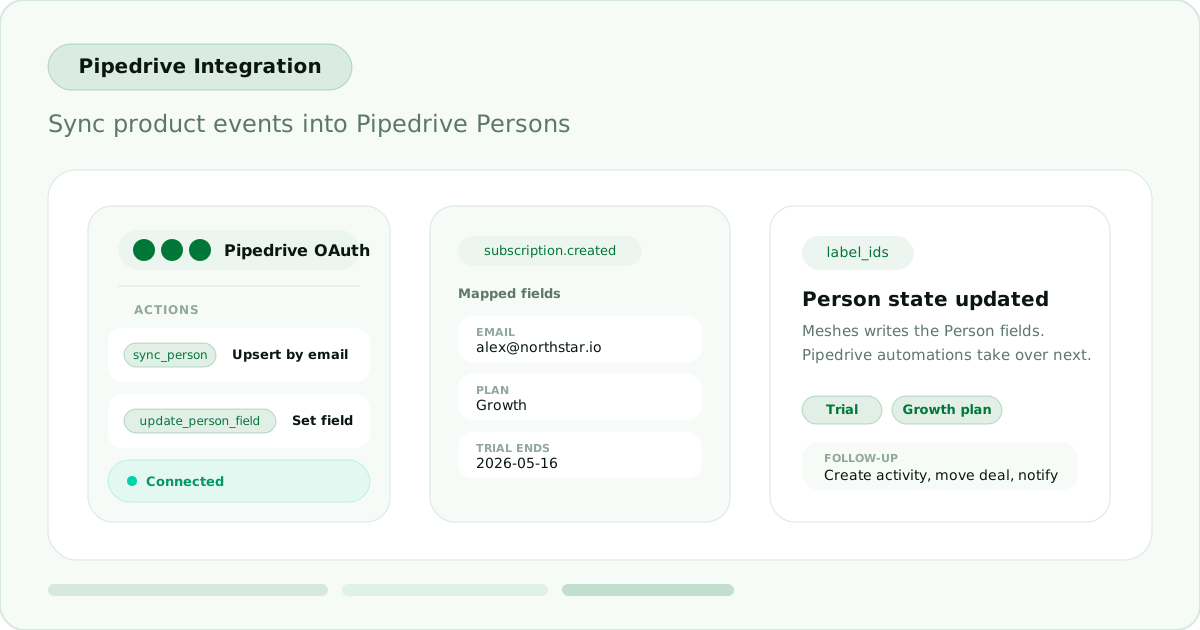
Pipedrive is now available as a Meshes destination. Connect a Pipedrive account with OAuth and route product events into Person records and labels without building a separate Pipedrive sync path in your app.
What it does
The Pipedrive integration focuses on Person updates driven by the events you already send through Meshes.
Sync Personcreates or updates a Pipedrive Person by email.Update Person Fieldsyncs the mapped Person data and sets one supported editable Person field from the connected account.Add Label to PersonandRemove Label from Personsync the mapped Person data and keep Person labels aligned with lifecycle and product status changes.- Meshes loads the connected account's Person field catalog and label list so mappings reflect the actual Pipedrive workspace, including supported custom fields.
Example workflow
A trial.started event can create or update the Person in Pipedrive, set a lifecycle custom field, and add a Person label for the trial state. From there, Pipedrive automations can handle follow-up tasks, deal routing, or campaign enrollment based on those Person updates.
Get started
Create a Pipedrive connection, add a rule for the event you want to send, choose the Person action that fits the workflow, and map the fields Meshes should write. Use Send Test Event to verify the Person update before turning the rule on. See the Pipedrive docs for setup and mapping details.