Why Webhook Delivery Fails in Production (And What to Do About It)
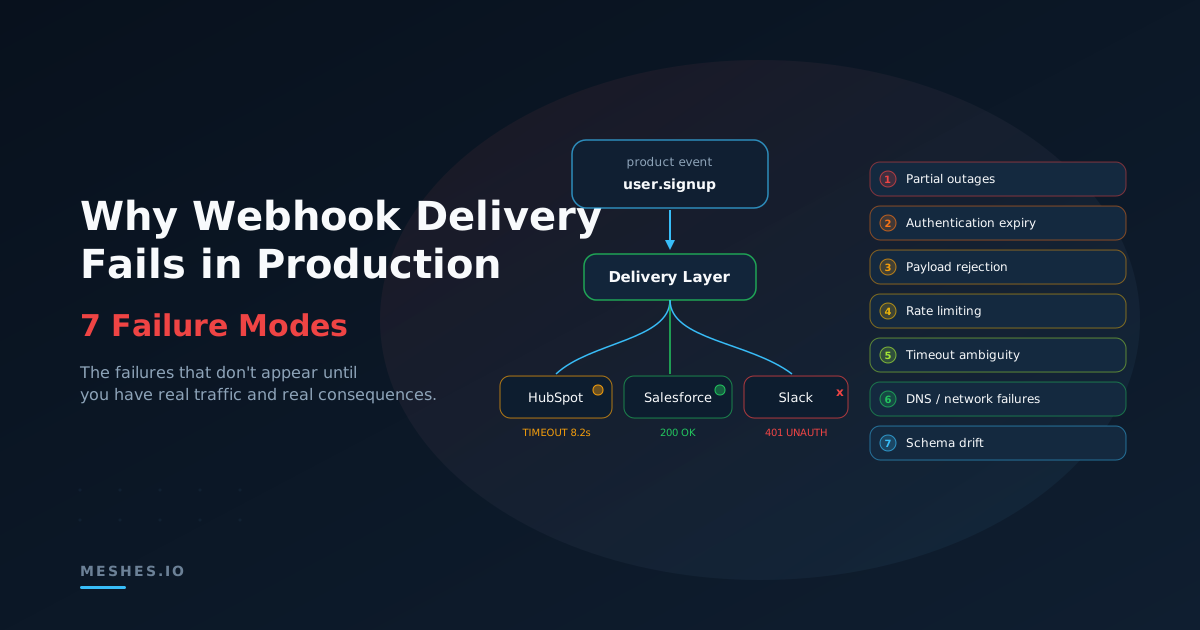
Your webhook integration works perfectly in development. In production, failures are intermittent, silent, and context-dependent. This post covers the seven actual failure modes for outbound event delivery — and what a real fix looks like.
Your webhook integration works perfectly in development. You fire a test event, the destination returns a 200, and you move on to the next feature. Six months later, you're debugging why 300 HubSpot contacts never updated — and nobody noticed until pipeline numbers were wrong.
Webhook failures in production don't look like webhook failures in development. They're intermittent, silent, and context-dependent. They show up at 2am when a destination's API is under maintenance, or gradually over weeks as a token expires and nobody notices.
This post covers the actual failure modes for outbound event delivery — the ones that don't appear until you have real traffic, real destinations, and real consequences.
In production, you're not sending webhooks — you're operating a delivery system.
The failure taxonomy
Most delivery failures aren't outages — they're mismatches between how your system behaves and how external APIs behave under load.
Not all delivery failures are created equal. Some are loud and obvious. Most aren't. The dangerous ones are the failures that look like successes, or the ones that happen so quietly that nobody knows until the data is already wrong.
1. Destination downtime and partial outages
This is the failure mode everyone thinks about, and ironically, the easiest to handle. The destination returns a 503 or a connection refused. Your code sees the error. You retry. Eventually the destination comes back.
The harder version is the partial outage. HubSpot's API is responding, but slowly. Response times jump from 200ms to 8 seconds. Your timeout is set to 10 seconds, so requests technically succeed — but your throughput drops by 40x, your queue backs up, and events start arriving minutes or hours late. Nothing technically failed — but everything is functionally broken.
Partial outages are more common than full outages, and they're harder to detect because your error rate stays flat. Your latency metrics are the only signal, and most outbound delivery implementations don't track per-destination latency.
2. Authentication expiry
OAuth tokens expire. API keys get rotated. Service accounts get deactivated. Every authentication mechanism has a failure mode, and most of them are silent.
The typical pattern: your team sets up a HubSpot integration, authenticates via OAuth, and moves on. The access token expires in 6 hours, but you have a refresh token. The refresh token works for 6 months. On month 7, deliveries start failing with 401s. If your code retries 401s (it shouldn't — they're not transient), you burn through your retry budget on every event. If it doesn't retry, events are silently dropped.
Salesforce is worse. A Salesforce admin changes the connected app's permissions, or the integration user's profile gets updated during a security audit. Your token is still technically valid, but now you're getting 403s on endpoints that worked yesterday. The error message says "insufficient privileges" and tells you nothing about what changed.
The fix isn't just "refresh your tokens." In practice, auth failures are rarely just expired access tokens — they include revoked grants, changed scopes, disabled integration users, and drift in destination-side app configuration. Handling auth correctly means monitoring auth health independently from delivery health, alerting before tokens expire rather than after, and handling the difference between "token expired" (refreshable) and "access revoked" (requires human intervention).
3. Payload rejection
Your event schema changed. A field that used to be a string is now an object. A required field that was always present is now sometimes null. The destination's API validates strictly and returns a 400.
This is the failure mode that gets worse as your product matures. Early on, your event payloads are simple and stable. As your product grows, events get richer, schemas evolve, and the surface area for payload mismatches expands.
The subtle version: your payload is technically valid, but the values don't match what the destination expects. You send an email address to HubSpot, but it contains a plus-addressed alias that HubSpot's deduplication doesn't handle the way you expected. The API returns a 200, the contact is created, but it's a duplicate that your sales team discovers three weeks later during a pipeline review. From your system's perspective, everything succeeded. From your business's perspective, your data is now wrong.
400-level errors are permanent failures — retrying them is pointless. But most integration implementations don't distinguish between "this will never work" and "try again later." They either retry everything or retry nothing.
4. Rate limiting
Every API has rate limits. Most of them are generous enough that you'll never hit them during testing. All of them are reachable in production during a traffic spike, a backfill, or a batch operation.
If your SaaS has a signup surge — a Product Hunt launch, a viral moment, a marketing campaign that actually works — and each signup fans out to HubSpot, Salesforce, and Mailchimp, you can burn through destination rate limits in seconds.
The failure pattern depends on how the destination handles rate limiting. Some return 429 with a Retry-After header. Some return 429 without one. Some return 503 when they're actually rate limiting. Some silently queue your requests and process them later, which means your events arrive out of order and your metrics lag behind reality.
Proper rate limit handling means respecting Retry-After headers when they exist, implementing client-side rate tracking when they don't, and ensuring that one destination's rate limits don't stall other destinations — this is the isolation problem, and it's the one most teams miss.
5. Timeout ambiguity
A timeout is the worst kind of failure because it's genuinely ambiguous. The request might have been received and processed. It might have been received and queued. It might have been lost in transit. You don't know, and there's no way to find out after the fact unless the destination's API supports idempotency.
The common mistake is treating timeouts like failures and retrying unconditionally. If the destination processed the original request, you've just created a duplicate. If it didn't, the retry is correct. Since you can't tell the difference, you need idempotency keys on every request — and not every destination supports them.
Timeout thresholds matter too. Set them too short and you'll retry requests that would have succeeded. Set them too long and your event processing pipeline stalls waiting for a destination that isn't going to respond. The right timeout is different for every destination, and it should be tuned based on observed latency, not guesswork.
6. DNS and network-layer failures
These are the failures that don't show up in your application logs because they happen below your HTTP client. DNS resolution fails. A TLS certificate expires on the destination's side. A CDN edge node returns a cached error page instead of routing to the API.
Your code sees a connection error or, worse, an HTML error page that your JSON parser chokes on. The stack trace points to your HTTP client library, not to anything useful. Debugging requires network-level visibility that most application logging doesn't provide.
These failures are rare, but when they happen, they affect 100% of traffic to the destination. Every event to that destination fails simultaneously, and if you don't have per-destination isolation, the blast radius extends to every other destination too.
7. Schema drift on the destination side
This one is slow and insidious. The destination's API evolves. A field you depend on gets deprecated. A validation rule gets stricter. An endpoint moves from v2 to v3. The old endpoint still works — until one day it doesn't.
HubSpot deprecated their v1 contacts API. Salesforce periodically retires older API versions. Intercom has migrated endpoints between major versions. If your integration code targets a specific API version and you're not actively tracking deprecation notices, you'll find out when deliveries start failing.
The worst version of this: the destination adds a new required field. Your existing payloads are missing it. The API starts returning 400s on every request. Every event to that destination fails simultaneously, and your retry logic dutifully burns through attempts on events that will never succeed.
Why these failures compound
Any one of these failure modes is manageable in isolation. The problem is that in production, they don't happen in isolation.
HubSpot's API slows down (partial outage). Your requests start timing out (timeout ambiguity). You retry aggressively (wrong retry strategy). You hit HubSpot's rate limit (rate limiting). Now you're getting a mix of 429s and timeouts. Some of the timed-out requests actually went through (idempotency gap). Your retry queue is growing, blocking deliveries to Salesforce and Slack (isolation failure). An hour later, when everything recovers, you have duplicate contacts, a delivery backlog, and no audit trail to untangle it.
That's one incident, involving four failure modes, affecting three destinations. It starts with a slow API and ends with bad data across your entire integration stack.
What "fixed" actually looks like
Fixing outbound delivery failures isn't about handling one failure mode well. It's about building a delivery layer that handles all of them systematically.
Classify failures correctly. Separate transient failures (503, 429, timeout, connection reset) from permanent ones (400, 401, 404). A 403 is almost always permanent until a human re-authorizes. Retry the transient group. Dead-letter the rest. Stop wasting retry budget on requests that will never succeed.
Track per-destination health independently. Monitor latency, error rate, queue depth, and time-to-drain for each destination separately. A slow HubSpot API should trigger backpressure on HubSpot deliveries, not on your entire pipeline.
Use idempotency everywhere. Tag every event with a unique key. For destinations that support idempotency natively, pass it through. For destinations that don't, you need your own delivery keying and replay discipline — tracking which events have been delivered and ensuring replays don't reprocess what already succeeded.
Log every attempt. Not just outcomes — but timing, retries, response codes, and timeouts for every delivery attempt. When someone asks "what happened to this event?" the answer should take seconds, not hours.
Alert on auth health before it fails. Track token expiration dates. Monitor for 401/403 response codes specifically. Distinguish between "token expired" and "access revoked" — one is automated recovery, the other requires a human.
Isolate destinations from each other. Each destination gets its own delivery pipeline, its own retry budget, its own dead letter queue. One unhealthy destination never affects another.
Building all of this from scratch is thousands of lines of infrastructure code that isn't your product. Maintaining it is an ongoing commitment — every new destination, every API version change, every edge case you discover at 3am.
Most teams think they're adding a webhook. In production, they're really taking ownership of a delivery system.
Don't want to own that delivery system?Join Meshes and get per-destination isolation, retries, dead letter capture, idempotent delivery, and full attempt-level logging out of the box.