Webhook Retry Logic in Node.js: What Production Delivery Actually Requires
A first-pass webhook retry loop breaks in production for predictable reasons. Node.js examples show where backoff, jitter, idempotency, rate limits, and dead letters come in, and how Meshes handles delivery automatically.
Reliable webhook delivery combines exponential backoff, jitter, idempotency, dead letters, and per-destination rate limiting. These behaviors determine what happens when an endpoint times out, returns a rate-limit response, or rejects a payload.
The Node.js examples below show where a first-pass retry loop breaks and what each fix pulls in behind it. Meshes applies automatic retries and delivery tracking to events sent through its API.
The first approach (and why it fails immediately)
Every webhook retry system starts the same way. Someone writes a function that sends an HTTP POST and wraps it in a loop:
This works in a tutorial. It fails in production for a half-dozen reasons:
No delay between retries. If a destination returns a 503, it's probably overloaded. Hammering it three times in a row makes things worse. You need backoff.
No jitter. If you have a hundred events queued for the same destination and they all retry on the same schedule, you create a thundering herd that can DDoS the destination.
No idempotency. If your process crashes between sending the webhook and recording the result, you'll retry an event that already succeeded. The destination processes it twice: two CRM contacts created, two emails sent, two charges attempted.
No persistence. If your server restarts, every in-flight retry is lost. Events disappear silently.
No distinction between retryable and permanent errors. A 503 (Service Unavailable) is worth retrying. A 401 (Unauthorized) is not — the credential is wrong, and retrying the same request a thousand times won't fix it.
No dead letter handling. When retries exhaust, the event vanishes. There's no record it existed, no way to replay it, and no alert that something broke.
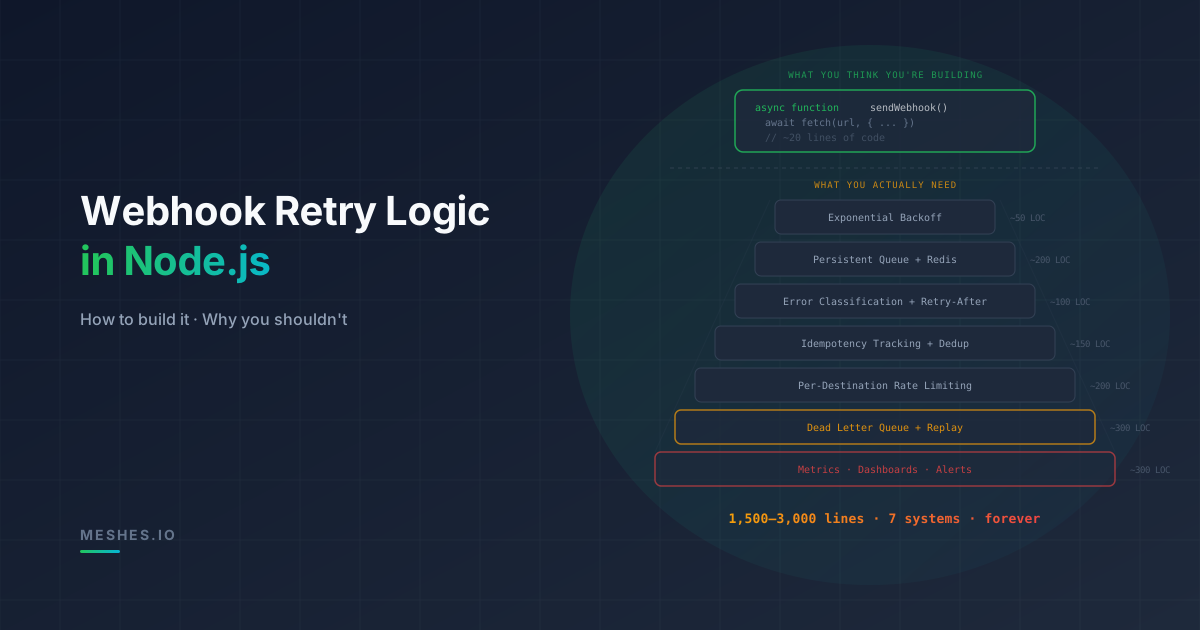
Each of these needs its own answer, and every answer pulls in more infrastructure.
Exponential backoff with jitter
The first thing your retry system needs is intelligent delays between attempts. Exponential backoff increases the wait time after each failure. Jitter adds randomness so concurrent retries don't collide.
function calculateBackoff( attempt: number, baseDelay = 1000, maxDelay = 300_000): number { // Exponential: 1s, 2s, 4s, 8s, 16s, 32s... const exponential = baseDelay * Math.pow(2, attempt - 1); // Cap at max delay (5 minutes) const capped = Math.min(exponential, maxDelay); // Full jitter: random value between 0 and capped delay return Math.floor(Math.random() * capped);}
Full jitter (randomizing between zero and the calculated delay) outperforms equal jitter and decorrelated jitter in most real-world scenarios. AWS published research on this in their architecture blog — the short version is that full jitter minimizes total work across all retrying clients while still providing reasonable retry delays.
With five retry attempts and a one-second base delay, your schedule looks roughly like this:
Attempt 1: immediate
Attempt 2: 0–1 second
Attempt 3: 0–4 seconds
Attempt 4: 0–8 seconds
Attempt 5: 0–16 seconds
The delay calculation is only one part of the retry policy. Pending retries also need durable state.
A durable queue
In-memory retries are worthless. If your process restarts — a deploy, a crash, an OOM kill — every pending retry is gone.
You need a durable queue. Most teams reach for one of three options:
Database-backed queue (PostgreSQL or SQLite). Simple to set up, no new infrastructure. But you're polling for work, which means either wasted queries or delayed retries.
Redis-backed queue (BullMQ). Fast, battle-tested, purpose-built for job scheduling. But now you're running Redis, which means another service to operate, monitor, and back up.
Managed queue (SQS, Cloud Tasks). Scalable, durable, and hands-off. The queue still needs delivery policies, monitoring, and recovery procedures.
Whichever you pick, the queue becomes a production dependency with its own concerns: job serialization, concurrency limits, a timeout on every outbound request, and a policy for jobs that fail their final attempt. Retries also need one consistent schedule, whether timing is controlled by queue configuration or a custom policy.
The retry policy also needs to account for error classification and destination-specific behavior.
Error classification
Not all errors deserve retries. You need to distinguish:
Permanent errors: 400 (Bad Request — your payload is wrong), 401 (Unauthorized — credentials are invalid), 403 (Forbidden), 404 (Not Found — the endpoint doesn't exist), 410 (Gone).
Special cases: 429 with a Retry-After header. You need to honor that header and schedule the retry for the specified time, not your default backoff schedule.
function isRetryable(statusCode: number): boolean { const retryableCodes = new Set([408, 429, 500, 502, 503, 504]); return retryableCodes.has(statusCode);}
The status-code check only classifies the response. Retry-After can be a number of seconds or an HTTP date, the resulting delay has to override the queue's built-in backoff for that one job, and a destination that sends it while you are mid-burst needs the rest of its queued deliveries held too. This one header introduces branching logic that touches your entire retry calculation.
Now your worker needs to catch errors, classify them, and either retry or send to a dead letter queue based on the classification. The queue must preserve the outcome and the next action for each delivery.
Idempotency tracking
Webhooks get delivered more than once. It happens when your process crashes after sending but before recording success. It happens when the destination is slow and your timeout fires before their 200 arrives. It happens when a network partition makes both sides think the request failed.
Your system needs to track which events have been successfully delivered to which destinations. That is a delivery record keyed by event and destination, written only after the destination acknowledges the request, kept long enough to catch late retries, and consulted by every worker before it sends. It also needs an answer for the awkward case: the record is missing, but the previous attempt may have succeeded before the process died.
But this only covers your side. You should also be sending an idempotency key so the destination can deduplicate on their end. Some APIs accept Idempotency-Key headers. Some use the event ID. Some don't support idempotency at all, which means duplicate delivery causes duplicate side effects and there's nothing you can do about it from the sending side.
Per-destination rate limiting
Different destinations have different rate limits, and those limits can depend on the account, endpoint, or authentication method.
If you're sending webhooks to multiple destinations, you need per-destination rate limiting to avoid getting blocked. That means limiter state shared across every worker, a bucket per connection rather than per destination type, and a way to feed "not yet" back into the queue schedule without counting it as a failed attempt.
Now multiply this by every destination you support. Each one has its own rate limits, its own authentication patterns, its own error formats, and its own retry semantics. HubSpot returns rate limit info in response headers. Salesforce uses a daily API call allocation. Some APIs return 429 with a Retry-After header. Some return 429 with no guidance at all.
Dead letter queue
When retries exhaust, you need somewhere to put events that couldn't be delivered. A dead letter queue preserves the event, the failure context, and the delivery history so someone can investigate and replay later.
A dead letter is a record, not a log line: the event ID, the destination, the original payload, every attempt with its timestamp and status code, and when it was parked. Around that record you need alerting when one destination's dead letters spike, scoping so one tenant's failures can be found without wading through everyone else's, and a retention policy so the store does not grow forever.
You also need a way to replay dead letters — individually and in bulk — once the root cause is fixed. That's another endpoint, another set of authorization checks, and another set of edge cases (what if the replayed event fails again?).
Observability
You're not done. You now need to know what your retry system is doing:
How many events are pending, retrying, delivered, and dead-lettered per destination?
What's the p50/p95/p99 delivery latency?
Which destinations are failing and why?
How full is your dead letter queue, and is it growing?
This means metrics, dashboards, and alerts. Prometheus counters for delivery attempts and outcomes. Grafana dashboards for per-destination health. PagerDuty alerts for dead letter spikes and queue depth anomalies.
Delivery reliability with Meshes
Meshes is an event routing platform that handles retry logic, exponential backoff with jitter, per-destination rate limiting, dead letter management, and delivery tracking — so you don't build or maintain any of it.
Your code stays this simple:
import MeshesEventsClient from '@mesheshq/events';const meshes = new MeshesEventsClient(process.env.WORKSPACE_PUBLISHABLE_KEY!);await meshes.emit({ event: 'user.signup', payload: { email: 'han@millennium.dev', plan: 'pro', source: 'website', },});
One API call. Meshes fans the event out to every configured destination — HubSpot, Salesforce, Mailchimp, Intercom, Slack, custom webhooks — with automatic retries, exponential backoff, jitter, and dead letter management for each destination independently.
If a destination is down, Meshes retries with backoff. If retries exhaust, the event moves to a dead letter queue with full context: the original payload, every attempt timestamp, and the error chain. When the issue is resolved, you replay the dead letters and every event is delivered.
No Redis to manage. No worker processes to monitor. No rate limiter configs to tune.
Meshes supports 10+ integrations including HubSpot, Salesforce, Intercom, Mailchimp, Resend, Slack, and Zoom — with OAuth token management, field mappings, and workspace-per-tenant isolation included. SDKs are available for Node.js, TypeScript, and Go.
The Developer tier is free for 100 events per month. Paid plans are listed on the pricing page.
Want to see delivery reliability instead of coding it? Meshes gives you a per-event delivery timeline (attempts, status codes, retries, DLQ, replay) across every destination. Try it free →