At some point, every growing SaaS company ends up with both HubSpot and Salesforce. Marketing lives in HubSpot. Sales lives in Salesforce. A lead enters through HubSpot and needs to show up in Salesforce before the rep's next call. A deal closes in Salesforce and marketing needs to know.
The "just sync them" conversation sounds simple. It never is.
Why CRM sync is deceptively hard
On the surface, syncing two CRMs looks like a mapping problem: fields in system A map to fields in system B. You write a script, run it on a cron, and call it done.
In practice, you run into a cascade of edge cases that turn a weekend project into a quarter-long sinkhole.
Field mapping isn't 1:1. HubSpot calls it "Lifecycle Stage." Salesforce calls it "Lead Status." The values don't match. "Marketing Qualified Lead" in HubSpot might map to "Working" in Salesforce, but only if the lead source is "Inbound." These conditional mappings multiply quickly.
Conflict resolution. A rep updates a phone number in Salesforce. A marketing automation updates the same contact's phone number in HubSpot. Which one wins? If your sync runs every five minutes, whoever wrote last wins—and neither team knows.
Object model mismatch. HubSpot has Contacts and Companies. Salesforce has Leads, Contacts, Accounts, and Opportunities. A HubSpot Contact doesn't map cleanly to a Salesforce Lead or a Salesforce Contact—it depends on where the record is in the lifecycle.
Rate limits. Both APIs have rate limits. HubSpot's API allows a certain number of requests per ten seconds. Salesforce's bulk API has its own limits. A naive sync that iterates through records one by one will hit these walls quickly.
Deduplication. The same person might exist as a Lead and a Contact in Salesforce, and as a Contact in HubSpot. Your sync needs to decide whether to create, update, or merge—and it needs to get it right every time.
The common approaches (and where they fail)
Batch sync on a schedule
The simplest approach: run a script every five minutes that queries both systems for recent changes and pushes updates in both directions.
This works until it doesn't. Batch sync introduces latency (up to five minutes of stale data), doesn't handle conflicts well (last-write-wins is the default), and scales poorly as your record count grows. Querying both APIs for changes on a short interval burns through rate limits and creates load on both systems.
Batch sync also makes debugging painful. If a record is out of sync, you have to trace through multiple batch runs to figure out where the discrepancy was introduced.
Native HubSpot–Salesforce integration
Both HubSpot and Salesforce offer built-in sync tools. HubSpot's Salesforce integration is popular and handles many common use cases out of the box.
But native integrations have limits. Custom objects, complex field mappings, conditional logic ("only sync if the lead is MQL"), and multi-tenant setups (where each of your customers connects their own CRM instance) are either unsupported or require workarounds that defeat the purpose.
If you're syncing your own CRM instances, native tools might be enough. If you're building a product that syncs your customers' CRM instances, native tools are almost never sufficient.
Custom ETL pipeline
You build a proper pipeline: extract from both systems, transform and reconcile, load back. Tools like Airbyte, Fivetran, or custom Airflow DAGs handle the plumbing.
This works for analytics (getting CRM data into a warehouse), but it's heavyweight for real-time operational sync. ETL pipelines are designed for throughput, not latency. Your sales rep doesn't want to wait for a batch pipeline to catch up—they want the lead in Salesforce now.
An event-driven alternative
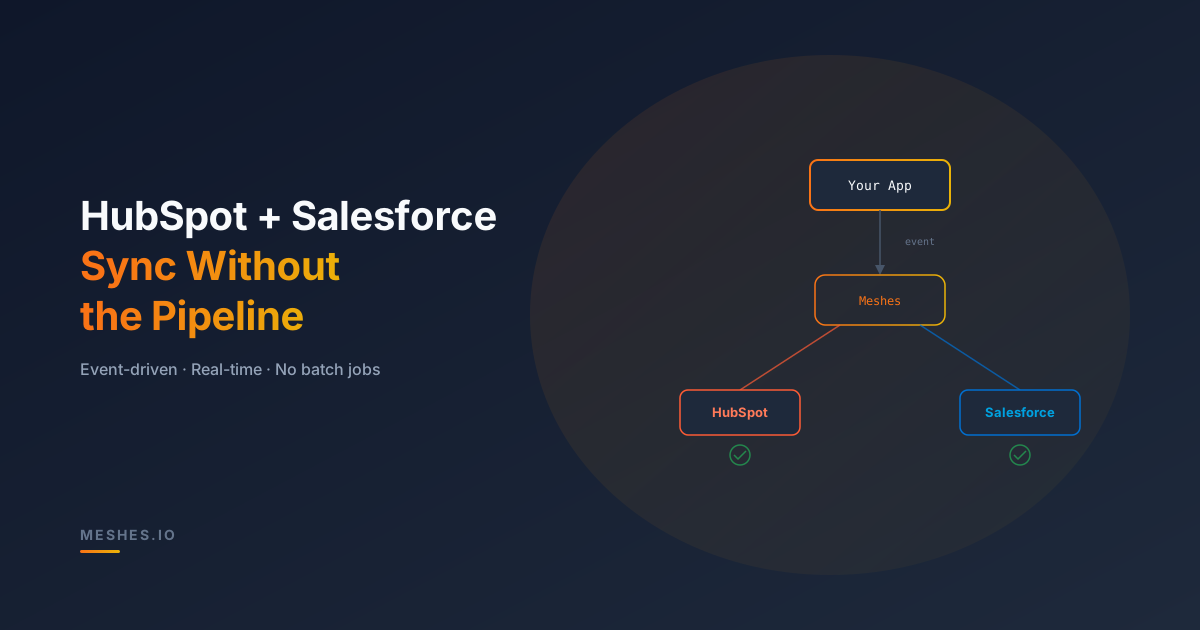
Instead of polling both systems and reconciling differences, what if you pushed data when events happen?
The pattern:
- Your app emits an event when something meaningful happens:
lead.created,deal.closed,contact.updated. - Routing rules decide which destinations receive the event—HubSpot, Salesforce, or both.
- Payload transformations shape the data per destination: map your internal schema to HubSpot's contact properties and Salesforce's Lead fields.
- The delivery engine handles rate limits, retries, and failures per destination.
This approach has a few advantages over batch sync:
Real-time. Events are delivered as they happen, not on a five-minute poll cycle. The lag between "lead signs up" and "lead appears in CRM" drops from minutes to seconds.
Unidirectional clarity. Instead of a bidirectional sync that needs conflict resolution, you have clear data ownership. Your app is the source of truth. CRMs are downstream consumers. This eliminates the "which system wins" problem.
Per-destination isolation. If Salesforce's API is temporarily down, the events queue and retry. HubSpot deliveries continue unaffected. In a batch sync, one API failure can stall the entire run.
Extensibility. Adding a third destination (Slack, a webhook, a data warehouse) doesn't require rethinking your sync architecture. You add a connection and a rule—the same event drives all of them.
What this looks like with Meshes
Meshes is designed for exactly this pattern. Your app emits events to a single API. Rules and connections handle the rest.
For a CRM sync scenario, you might configure:
- Event type:
lead.created - Connection 1: HubSpot — creates or updates a Contact with mapped properties
- Connection 2: Salesforce — creates a Lead with mapped fields
- Connection 3: Webhook — notifies your internal system for enrichment
Your backend code stays simple:
async function onLeadCreated(lead: Lead) {
await fetch('https://api.meshes.io/api/v1/events', {
method: 'POST',
headers: {
Authorization: `Bearer ${token}`,
'Content-Type': 'application/json',
},
body: JSON.stringify({
workspace: 'ws_01...',
event: 'lead.created',
payload: {
email: lead.email,
firstName: lead.firstName,
lastName: lead.lastName,
company: lead.company,
source: lead.source,
plan: lead.plan,
},
}),
});
}
Each connection defines its own payload mapping. HubSpot gets firstname, lastname, company. Salesforce gets FirstName, LastName, Company, LeadSource. You define these mappings in the integration layer, not in your app code.
If HubSpot is slow, Salesforce delivery continues. If either destination fails, events queue with exponential backoff. Dead letters surface in the dashboard with full payload visibility.
When event-driven beats batch sync
Event-driven CRM sync isn't the right choice for every scenario. If you're backfilling historical data or doing large-scale migrations, batch tools are better suited. And if you need true bidirectional sync (changes in Salesforce should flow back to your app), you'll need additional plumbing—either Salesforce outbound messages, HubSpot webhooks, or a change data capture layer.
But for the most common pattern—your app is the source of truth and CRMs are downstream consumers—an event-driven approach is simpler, more reliable, and easier to extend than batch sync.
It works especially well when:
- Your customers each connect their own CRM instances (multi-tenant).
- You want to add non-CRM destinations (webhooks, analytics, Slack) without a separate pipeline.
- Low latency matters—reps need to see leads in their CRM within seconds, not minutes.
- You're already emitting events internally and want to fan them out externally.
Stop building CRM pipelines
Syncing CRMs is a means to an end. The end is: when something happens in your product, the right data lands in the right system at the right time.
You can build that pipeline yourself—and maintain it, debug it, and extend it every time product requirements change. Or you can emit events to an integration layer that handles routing, transformation, delivery, and retries across every destination.
Meshes handles the plumbing so you don't have to.
Need to sync CRMs without a pipeline? Join Meshes and route events to HubSpot, Salesforce, and beyond with one API call.