Event Routing for SaaS: How to Send the Right Data to the Right Destination
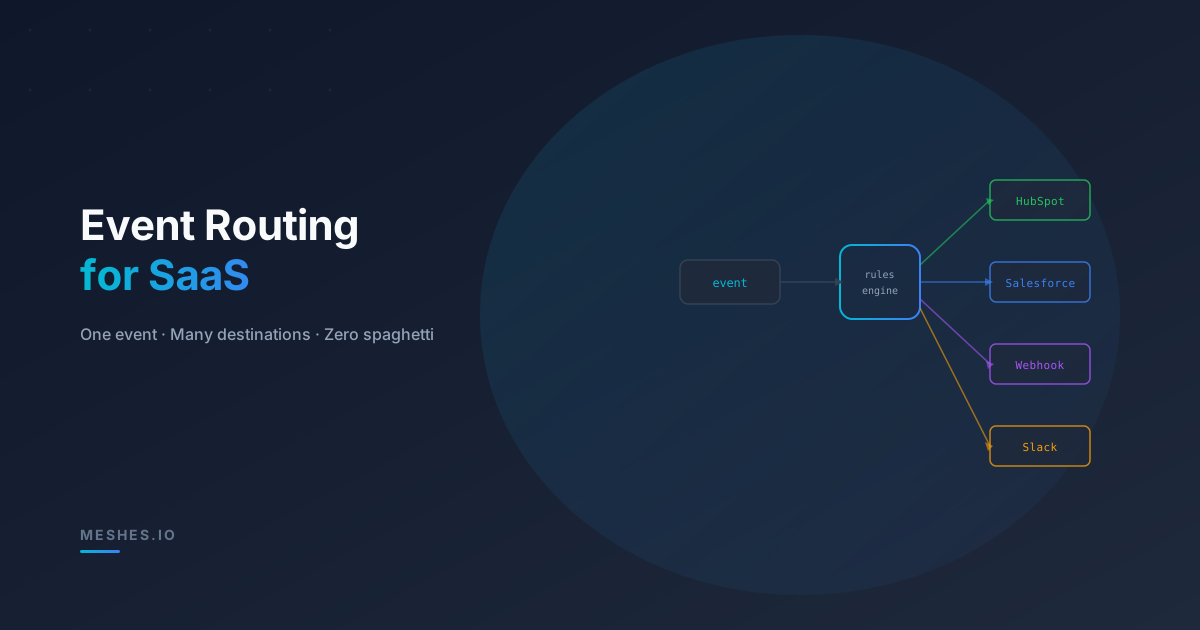
Your app emits events. Your customers need those events in HubSpot, Salesforce, Slack, and a dozen webhooks. Event routing decides which data goes where—without turning your codebase into spaghetti.
Your SaaS product generates events all day long: a lead signs up, an invoice gets paid, a subscription churns. Internally, these events drive your own logic. Externally, your customers want them sent somewhere—CRMs, analytics tools, webhooks, partner APIs.
The question isn't whether to route events. It's how to do it without duct-taping together a mess of if-else chains that nobody wants to maintain.
What "event routing" actually means
Event routing is the logic that sits between "something happened in your app" and "the right destinations received the right data." It answers three questions:
Which destinations should receive this event? Not every event goes everywhere. A lead.created event might go to HubSpot and Mailchimp, but not to the billing webhook. A subscription.cancelled event might trigger a Slack notification and a CRM update, but skip the marketing platform.
How should the payload be shaped for each destination? HubSpot wants contact properties. Salesforce wants a Lead object. A webhook wants your raw payload. Same event, different projections.
Under what conditions should routing change? Maybe enterprise customers get Salesforce routing while self-serve customers get HubSpot. Maybe events are only routed during business hours, or only when certain fields are present.
If you hardcode any of these decisions in your application layer, every new destination or customer requirement means a code change, a deploy, and a prayer.
The three stages of routing complexity
Most teams evolve through a predictable progression.
Stage 1: Direct calls
Your backend calls the destination API inline. Routing logic is an if-statement in your controller:
if (customer.crm === 'hubspot') { await pushToHubSpot(lead);} else if (customer.crm === 'salesforce') { await pushToSalesforce(lead);}
This works for one or two integrations. It falls apart when you add a third destination, a second event type, or a customer who wants both HubSpot and Salesforce.
Stage 2: Queue + workers
You push events onto a queue and let workers handle routing. Better for latency, but the routing logic just moved from your controller to your worker:
// worker.tsswitch (job.destination) { case 'hubspot': await pushToHubSpot(job.payload); break; case 'salesforce': await pushToSalesforce(job.payload); break; case 'webhook': await postToWebhook(job.url, job.payload); break;}
Now you maintain destination-specific code in a worker, plus the queue infrastructure, plus retry logic per destination. Every new integration is a new case branch, a new set of credentials to manage, and a new surface area for bugs.
Stage 3: Configuration-driven routing
This is where you want to end up. Instead of code that maps events to destinations, you have a routing layer that evaluates rules against incoming events and dispatches them to configured connections.
Events flow in. Rules decide where they go. Connections handle delivery. Your application code doesn't change when you add a new destination—you add a rule.
What a routing layer needs to do well
A routing layer that works at scale needs more than a switch statement:
Fan-out. One event triggers multiple destinations in parallel. If lead.created needs to reach HubSpot, a webhook, and a Slack channel, all three deliveries happen concurrently—not sequentially.
Payload transformation. Each destination expects different shapes. The routing layer should map your canonical event payload into destination-specific formats without polluting your app with per-destination serialization logic.
Conditional routing. Not every event goes to every destination. Rules should support conditions: route only if payload.plan === 'enterprise', or only if the event type matches a pattern, or only for specific workspaces.
Tenant isolation. In a multi-tenant SaaS, Customer A's HubSpot credentials and routing rules should be completely separate from Customer B's. A routing failure for one tenant should never affect another.
Delivery guarantees. Routing without reliable delivery is just a fancier way to lose events. The routing layer needs retries, backoff, dead letters, and per-destination observability baked in.
How Meshes handles event routing
Meshes is built around this exact model: your app emits events, and the platform handles routing, transformation, and delivery.
The pieces:
Event types define what your app can emit (e.g., lead.created, invoice.paid).
Connections represent destinations—HubSpot, Salesforce, a webhook URL, a Slack channel.
Rules bind event types to connections with optional conditions and payload mappings.
Workspaces isolate everything per tenant: credentials, rules, delivery logs.
Your app sends one event using the customer's workspace publishable key:
The routing layer takes over: it evaluates which rules match lead.created for that workspace, transforms the payload per destination, and delivers to each connection in parallel—with retries, backoff, and dead letters handled automatically.
When to invest in routing infrastructure
Routing responsibilities grow with your integration surface:
Multiple destinations per event. The moment one event needs to reach two or more places, you have a fan-out problem.
Growing event catalog. Five event types going to three destinations is fifteen routing paths. Ten event types and five destinations is fifty. The combinatorics get ugly fast.
Multi-tenant isolation. If each customer has their own credentials and rules, routing logic needs to be scoped per tenant—not shared in a monolithic worker.
The bottom line
Event routing is the connective tissue between your product and the outside world. Done well, it's invisible—events flow to the right places, in the right shape, without your team touching integration code every sprint.
Done poorly, it's a tangled web of per-destination code, customer-specific branches, and retry logic scattered across your codebase.
A dedicated integration layer like Meshes lets you define routing as configuration—not code. Emit events, define rules, plug in destinations. The platform handles the rest.
Want routing that scales with your customer base?Join Meshes and stop hardcoding integrations.